

What to Enable Before Registration
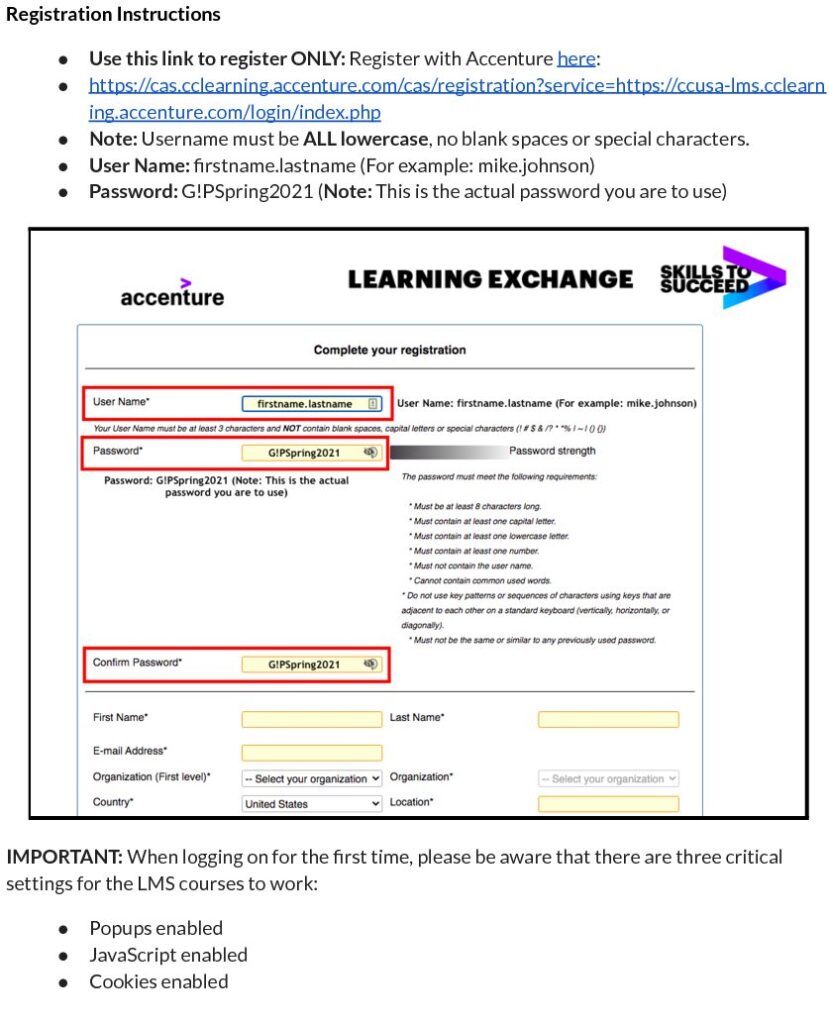
IMPORTANT:When logging on for the first time, please be aware that there are three critical settings for the LMS courses to work:
- Popups enabled
- JavaScript enabled
- Cookies enabled
Step 1: Registration
- Use this link to register ONLY: Registration
- User Name:firstname.lastname (For example: mike.johnson)
- Password: G!PSpring2021
- Note: Username must beALL lowercase, no blank spaces or special characters. G!PSpring 2021 is the password you are to use.
Step 2: Choose Organization
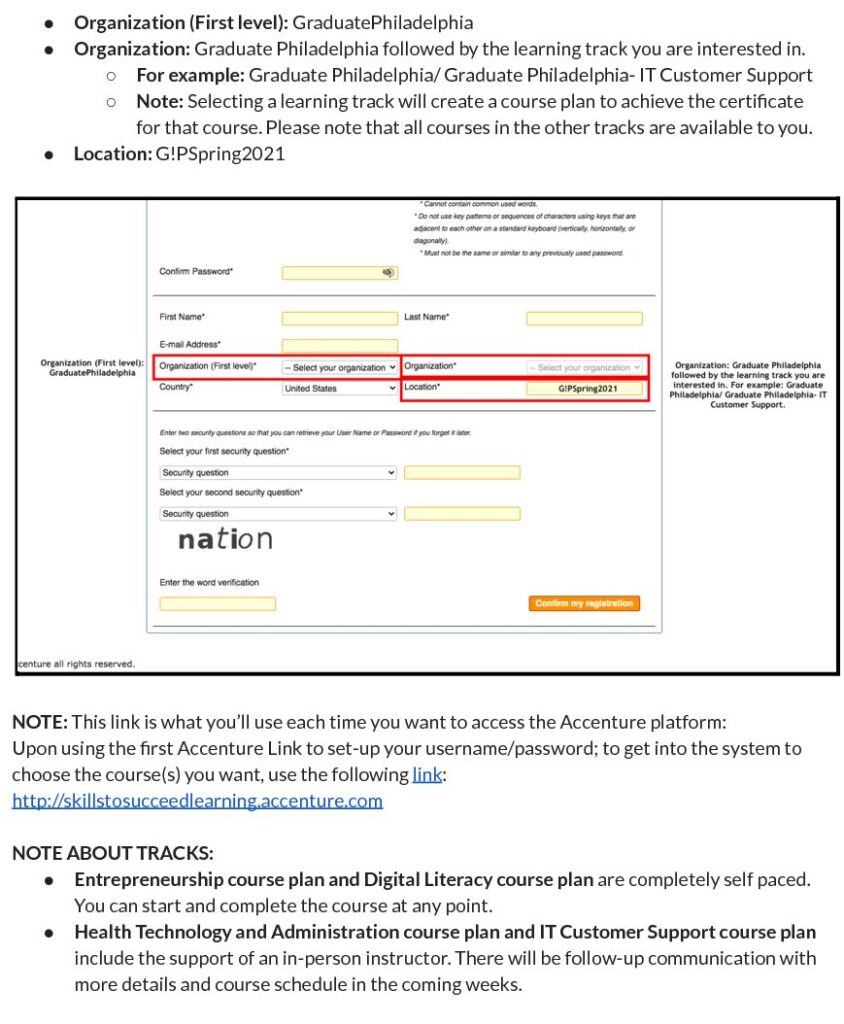
- Please choose as your organization GraduatePhiladel
phia. - The second prompt will also ask you to choose an organization. Please choose Graduate Philadelphia followed by the learning track you are interested in.
- For example:Graduate Philadelphia/ Graduate Philadelphia- IT Customer Support.
- Although specialized tracks are offered, all courses from all tracks will be available to users through the online learning platform.
- Upon using the first Accenture Link to set-up your username/password; to get into the system to choose the course(s) you want, use the following link.
- This link is what you’ll use each time you want to access the Accenture platform.
Step 3: Registration Completed + Navigate Accenture Platform
- After registration is completed use the following link to get into the system to choose the course(s) you want.
- Refer to the Registration Reference Sheet with Screenshots below to help navigate the Accenture platform.
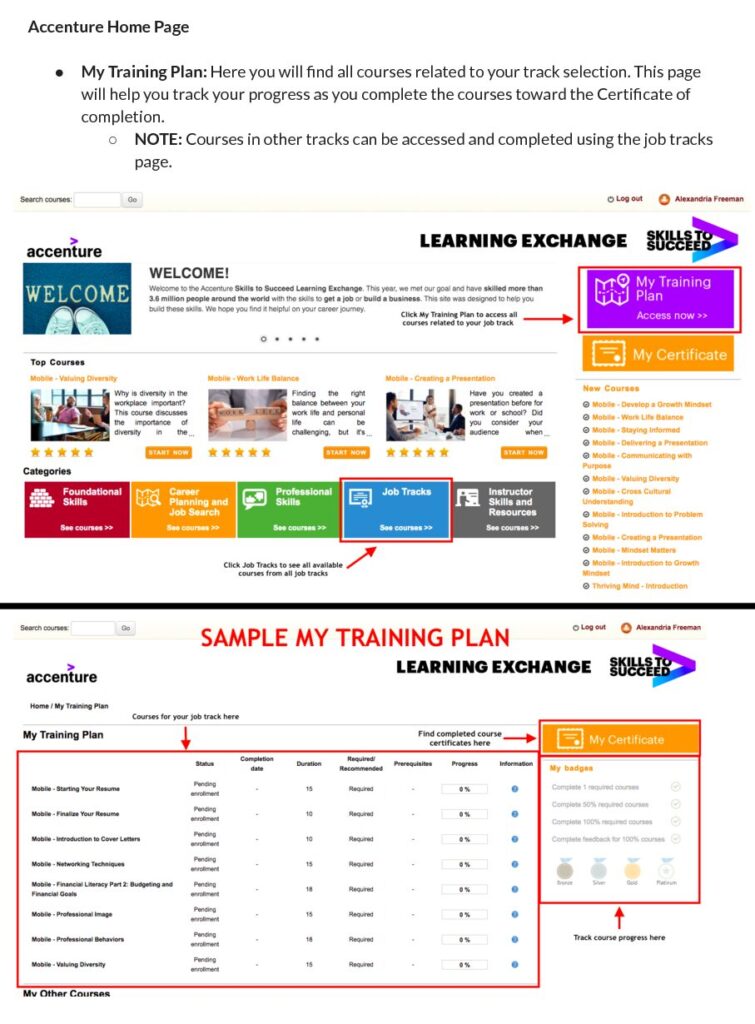
- My Training Plan: Here you will find all courses related to your track selection. This page will help you track your progress as you complete the courses toward the Certificate of completion.
- NOTE: Courses in other tracks can be accessed and completed using the job tracks page.
Registration Reference Sheet with Screenshots
Participants will have a chance to fine tune their professional skills!
For more information please call 302-468-7586 or email Phillyskillsforward@graduatephilly.org. Upon request a Graduate Philadelphia counselor will be available to walk you through the intake form located in the button below.
